DJAY + MUSCLE MIX MUSIC INTEGRATION.
WATCH DJAY+MUSCLE MIX SCHOOL VIDEOS👇
**NEW! Now Muscle Mix Toolbox subscribers can access music from ‘djay’, an award-winning DJ software with seamless Spotify and Apple Music integration. Toolbox subscribers can curate custom playlists, adjust BPM and create nonstop mixes of the Toolbox music for your virtual classes. To obtain licensing, click here.
djay+muscle mix school -
STEP BY STEP AUTOMIX WITH ONE CONSISTENT BPM
This may happen if a track is already loaded or playing when you start Automix. djay treats that track as the current one and prepares the next track in the playlist. To avoid that, start Automix from a clean state:
- Stop Automix
- Eject any loaded track
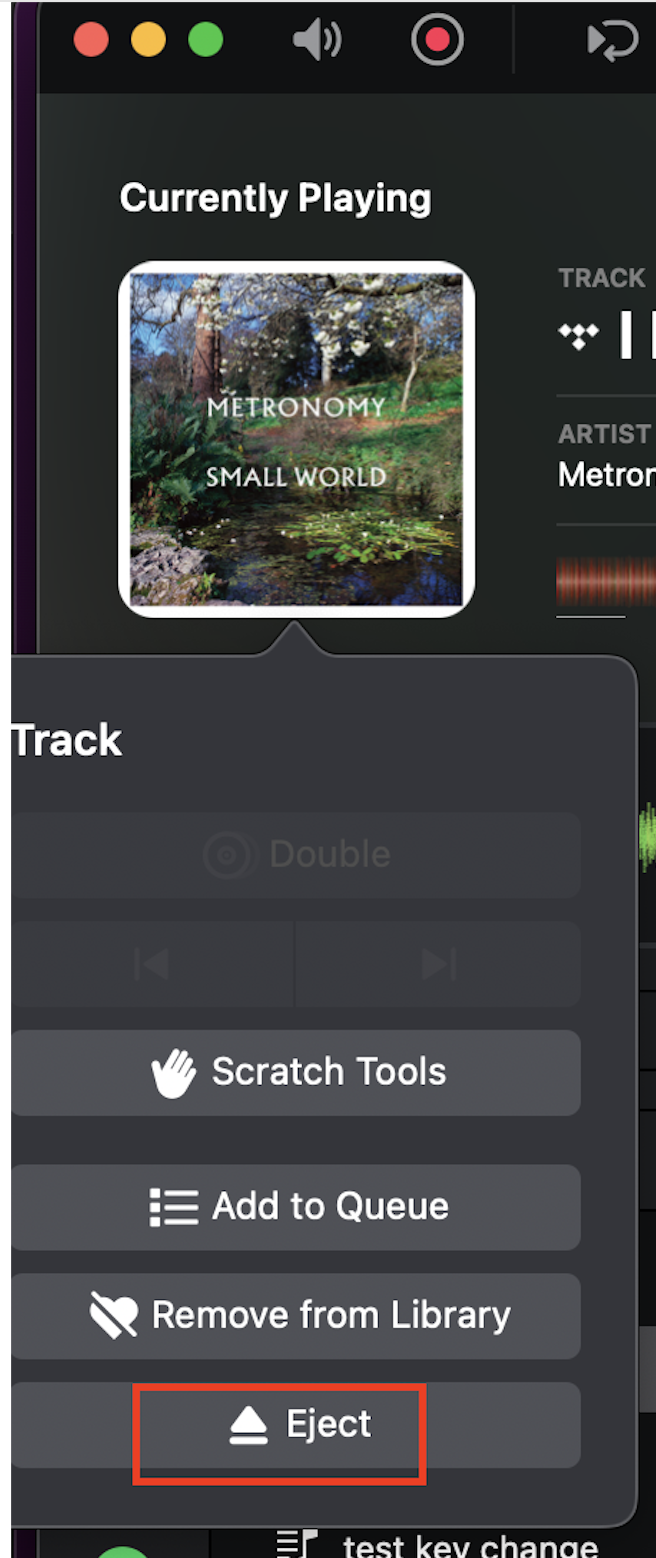
3. Make sure nothing is playing
4. Then start Automix again
Starting Automix fresh is important, especially after changing settings.
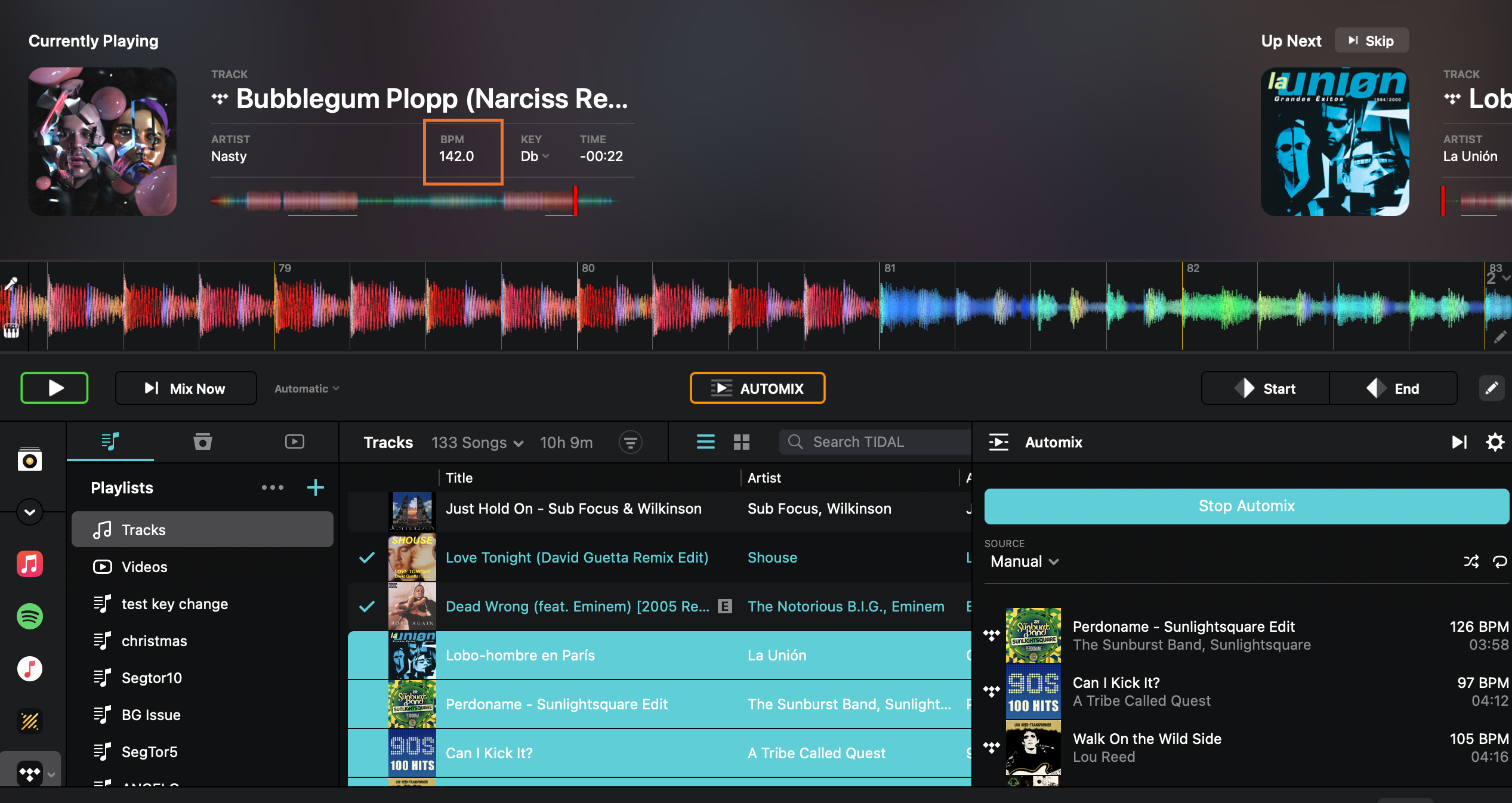
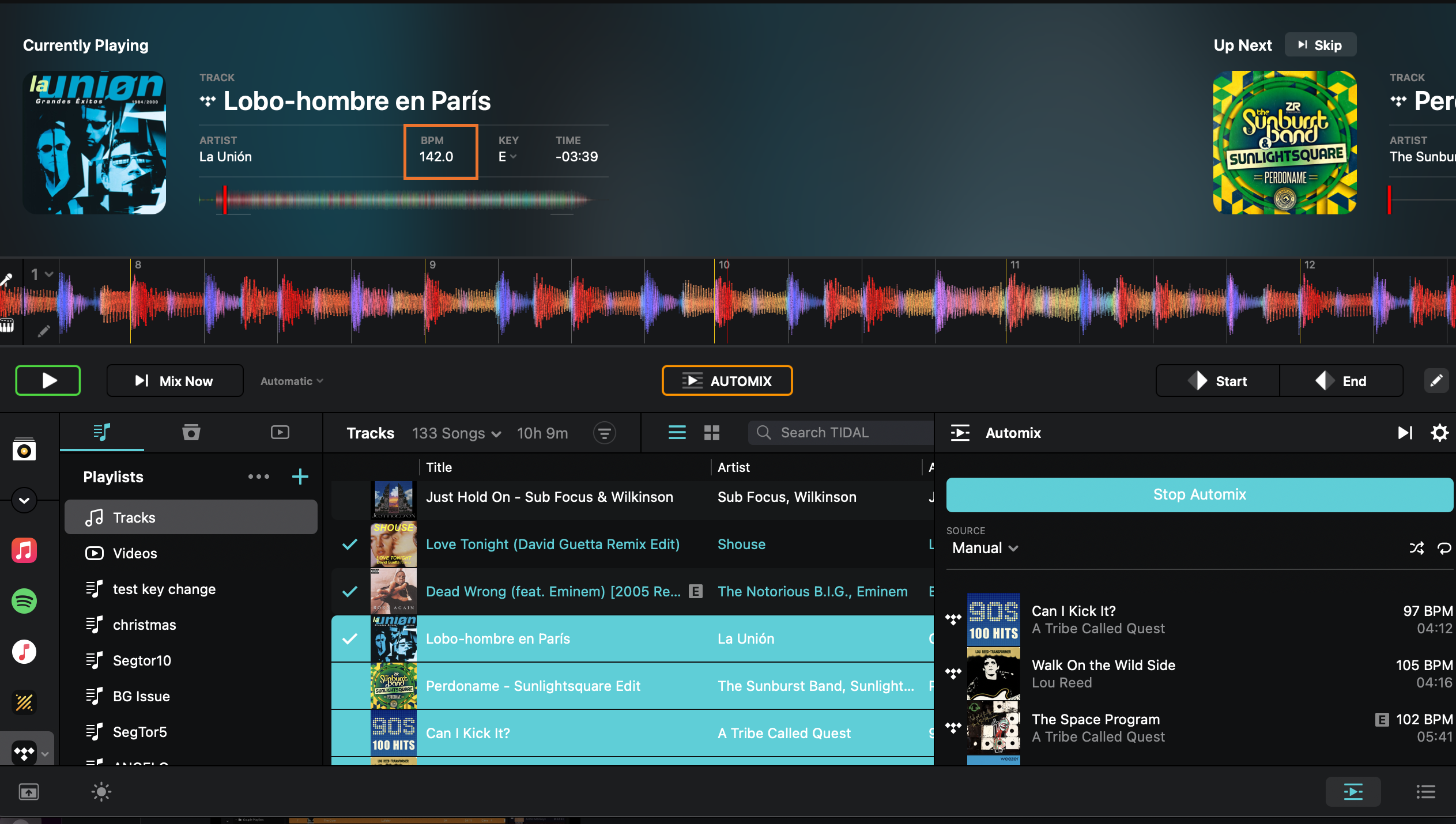
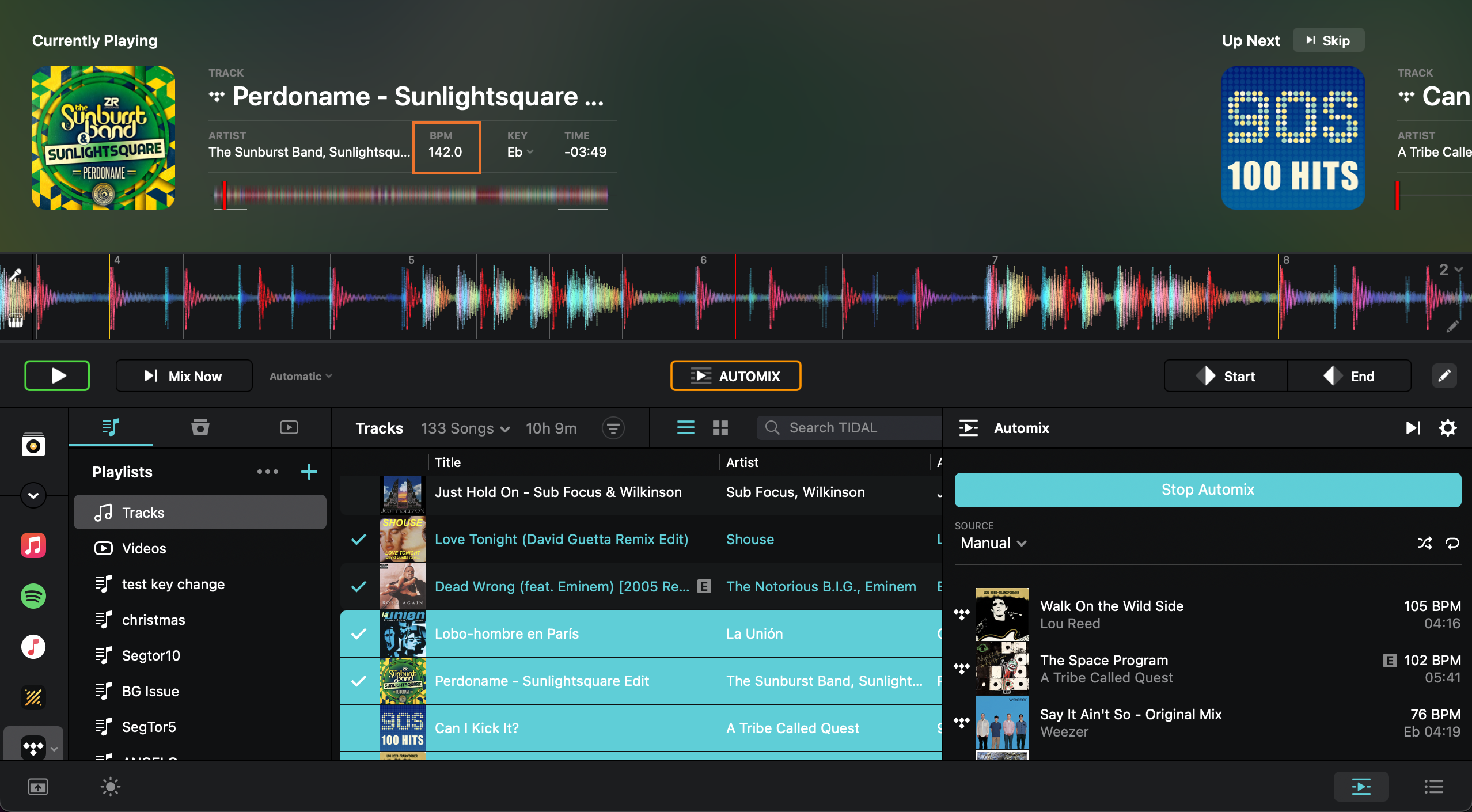
Now, to test keeping everything at one BPM:
- Switch to Automix view.
- Choose three to five songs with clearly different BPM values.
- In Automix settings, set Tempo Adjust to Sync.
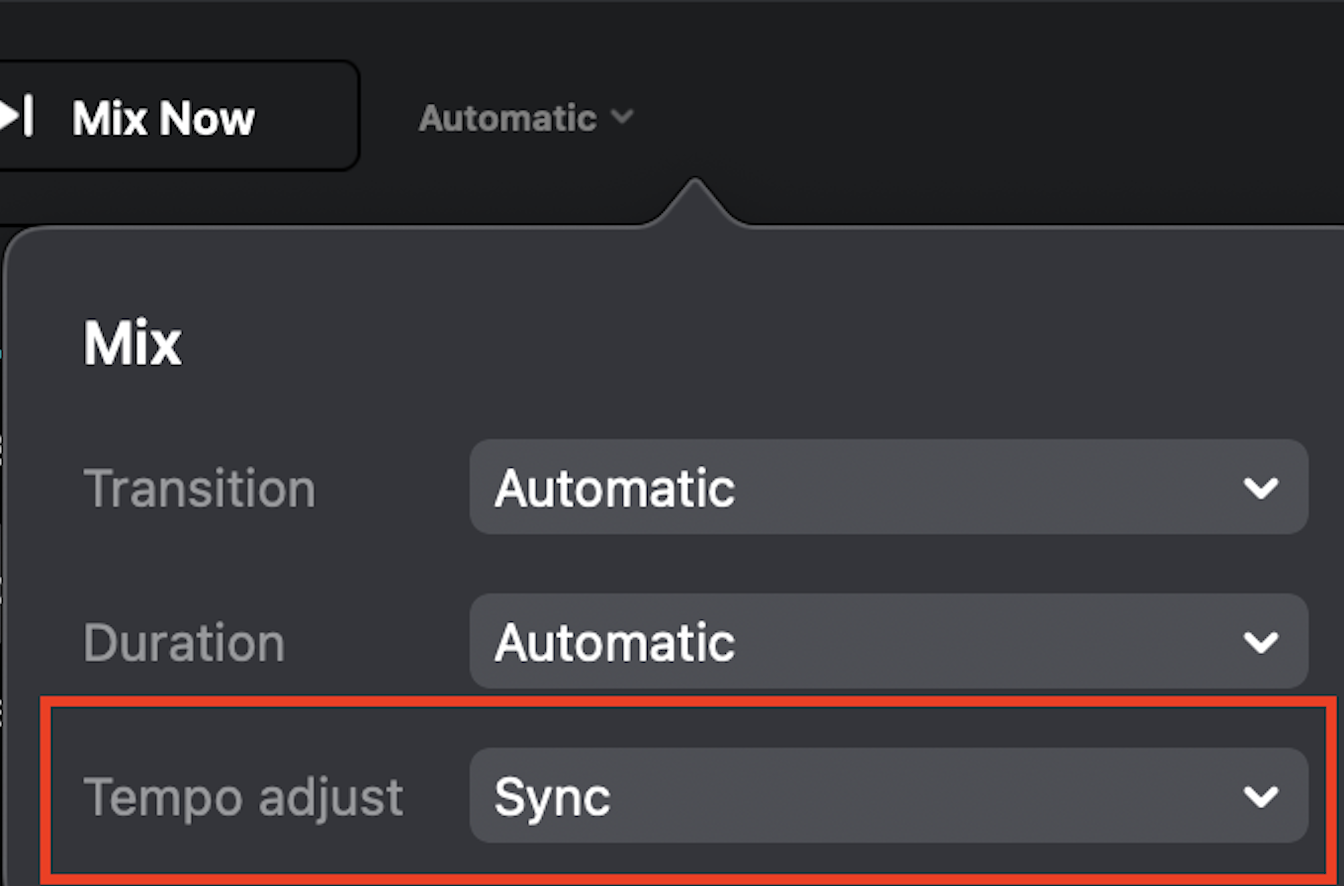
- Load the first track and set it to your target tempo (for example 135).
- Start Automix and let it run through the three tracks without manually moving the playhead.
With Sync enabled and a clean start, incoming tracks should match the tempo of the first track during playback. You should hear them aligned, and the deck tempo should reflect the synced value while playing.
One important tip: while Automix is running, avoid jump forward in the track or manually move the playback position. Automix Sync relies on continuous playback, and manual repositioning can interrupt the tempo alignment.
If everything is set correctly, the incoming tracks will align to the tempo of the first track during transitions and remain in sync while Automix runs uninterrupted.